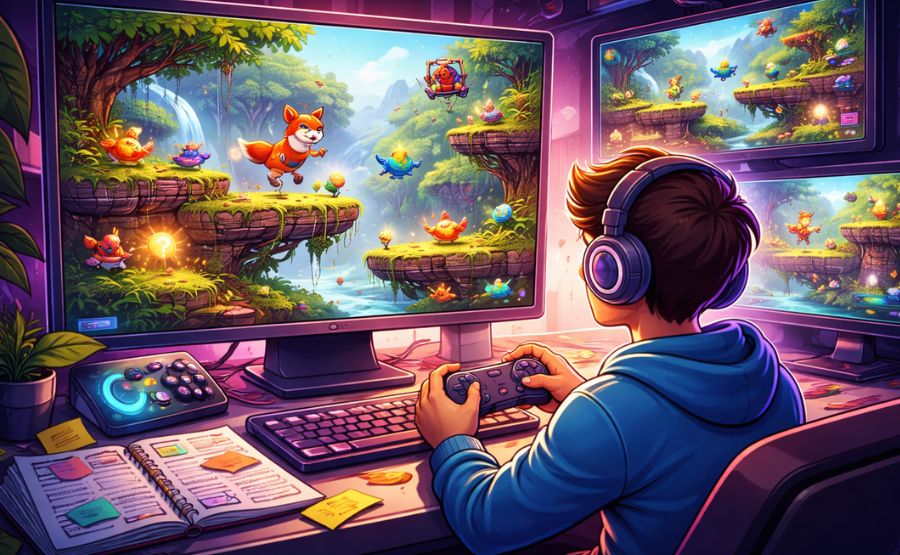
How Beginners Test and Improve AI Generated Games
You describe your idea in a few sentences and get a complete game to play almost instantly. This feels exciting until you start playing and notice problems. Your character might get stuck in the walls. Levels could feel too easy or too difficult. The game might run slowly on your device. These issues happen often with games created using new tools that turn ideas into playable experiences.
The real work begins after the game is made. Testing and improving it properly can turn a rough version into something people enjoy for hours. Tools like Astrocade make creating games fast and simple. However, testing is what separates an okay game from one that players love and share with others. This guide gives you clear steps to check your game carefully, find the main problems, and make meaningful improvements. You will learn why testing is important, how to prepare, which parts to focus on first, common issues with fixes, and ways to collect useful feedback. The process is easier than most people think. All you need is patience, a way to take notes, and a willingness to play your own game many times.
Why Testing Matters for Your Games
Testing catches small mistakes before players find them and get frustrated. A single broken door or unfair level can make someone stop playing within minutes. When you test early and often, you avoid having to start over from scratch later. Testing also helps you understand whether the game feels fair and exciting from a fresh perspective. Games that run smoothly and offer the right amount of challenge keep players interested longer.
Testing shows you how well the final game matches your original idea. Many times, the created version drifts away from what you imagined. Good testing brings it back on track. Beyond finding bugs, testing teaches you what works best so you can use those ideas in future projects. Creators who produce the best games usually test them many times before sharing. The extra effort makes a big difference because players notice when a game feels polished and thoughtful.
Getting Your Game Ready for Testing
Begin by playing through the entire game at least three times in a row. Pay close attention to every part and write down anything that feels wrong, even if it seems minor. Note places where you felt stuck or bored. This first step reveals the basic flow of the game.
Set up a simple recording method. Use your phone to capture the screen or keep a notebook with timestamps. These records help you review exactly when issues occurred.
Try playing from different starting points since many created games make fresh levels each time. This helps you check whether the variety feels good or if some versions contain serious errors. If you want a benchmark for what a well-structured AI game should feel like, try playing Pokémon Adventure, a community-made AI game that demonstrates consistent mechanics and a clear level flow you can use as a reference when evaluating your own build.
Test the game on every device you plan to support. Run it on a desktop computer, a mobile phone, and a tablet if available. Record any differences in speed or control feel.
Create three clear success goals for your game. Examples include finishing a level without getting stuck or keeping a steady frame rate throughout play. These goals keep your testing focused and help you decide when the game is ready.
Key Gameplay Elements to Test
Focus first on the main actions that players repeat most often. Test movement, jumping, collecting items, and combat by playing the same section five or six times. Check whether controls respond immediately or if there is any delay between pressing a button and seeing the result. Try both fast and careful play styles to see how the game handles different speeds. Pay special attention to how smoothly the camera follows your character during quick turns.
Next, examine the overall difficulty curve. Play from the very beginning and stop at each new section. Decide whether the early parts clearly teach the rules. Check if later parts become harder at a fair pace. Count how many times you fail in each area to spot sudden difficulty spikes.
Finally, test how the story or level progression connects. Follow every message and event carefully. Make sure nothing feels out of order or confusing. Check whether the ending feels satisfying after the full journey.
Spotting Technical and Performance Problems
Performance issues can ruin even the best game ideas. Start by timing how long each level takes to load, then play for twenty minutes without stopping and watch for slowdowns or moments when movement becomes choppy. Try generating many objects on screen at once to stress-test the game’s limits.
Check stability by deliberately trying to break the game. Walk into walls and unusual areas. Stay in one spot for a long time. Jump from high places repeatedly. Record exactly what action caused any crash or freeze so you can describe it clearly when making corrections.
Test across different screens and devices. Open the game on both small and large displays and check whether text remains readable and buttons are easy to press. Try rotating the screen if the game supports it. Finally, test saving and loading thoroughly, save at several different points, close the application completely, reload, and confirm that all progress is intact.
Common Issues and Quick Fixes
Repeating patterns often make levels feel boring after a while. Play the game ten times and count similar room layouts. Add more specific requests for variety when creating the next version, asking for different obstacles and paths in each level.
Broken interactions are another frequent problem. Test every door, switch, and collectible item at least twice. Note the exact steps that cause items to disappear or doors to stay locked, then fix these by recreating only the affected section.
Visual problems can make the game look unfinished. Play with sound turned off to focus purely on appearance. Take note of colors that clash or objects that float in the air, then adjust your description to better match the overall style.
Unbalanced difficulty appears when one section is noticeably harder than everything around it. Track deaths per level during full playthroughs, make early sections slightly easier, add helpful hints before tough parts, and adjust enemy speed or reward amounts as needed.
Effective Ways to Make Improvements
Return to your original description and make it more detailed. Add clear instructions about the parts that need work and specify exact changes, such as steadier movement speed or longer levels. Create a new version and compare it directly to the old one side by side.
Work on one problem at a time instead of everything at once. Fix controls in a separate version if they feel slow. Improve only one level if it feels too short. This approach prevents new problems from appearing elsewhere in the game.
Make small manual adjustments wherever the tool allows. Change the colors of certain objects, move items to better positions, and rewrite short messages to make them clearer. Adjust the numbers that control difficulty and rewards increase points for collecting items if that part feels weak, or slow down enemies if fights are too difficult. Test each small change immediately with a short play session so you can catch any new issues straight away.
Asking Others for Their Thoughts
Share your improved game with a few trusted people after fixing the major issues yourself. Watch them play without giving hints. Their natural reactions show where the game succeeds and where it confuses players. After they finish, ask what they enjoyed most and which parts felt difficult or unclear.
Look for patterns in their answers. If multiple people mention the same problem, give that section priority. You can also share the game in small, friendly communities focused on new creations. Platforms that let you play with friends online directly in the browser make it far easier to get real testers involved quickly, since there is nothing to install and anyone with a link can jump straight in. Read every comment carefully and group similar suggestions together, since outside feedback often reveals blind spots that you miss because you already know the game too well.
Conclusion
After making changes, start testing from the beginning once more. Compare your new notes with the old ones to measure real progress. Run short tests after each fix to catch any new issues that appear. Keep every version saved with clear names, such as “version four after fixing controls,” so you can return to earlier builds if a change makes something worse.
Most games need between four and six full testing rounds before they feel complete. Each round becomes faster because you already understand the weak areas. Continue until your game meets the three success goals you set at the beginning. The result will be something worth sharing, a game that feels intentional, fair, and genuinely fun for everyone who plays it.




Post Comment